
How Restaurant Management Software Helps Nepali Restaurants Save Time and Control Costs
Bijay Devkota · · Estimated reading time: 7 min read
Discover how restaurant management software helps Nepali restaurants save time, track stock, manage staff, and understand costs more easily with Restronp.
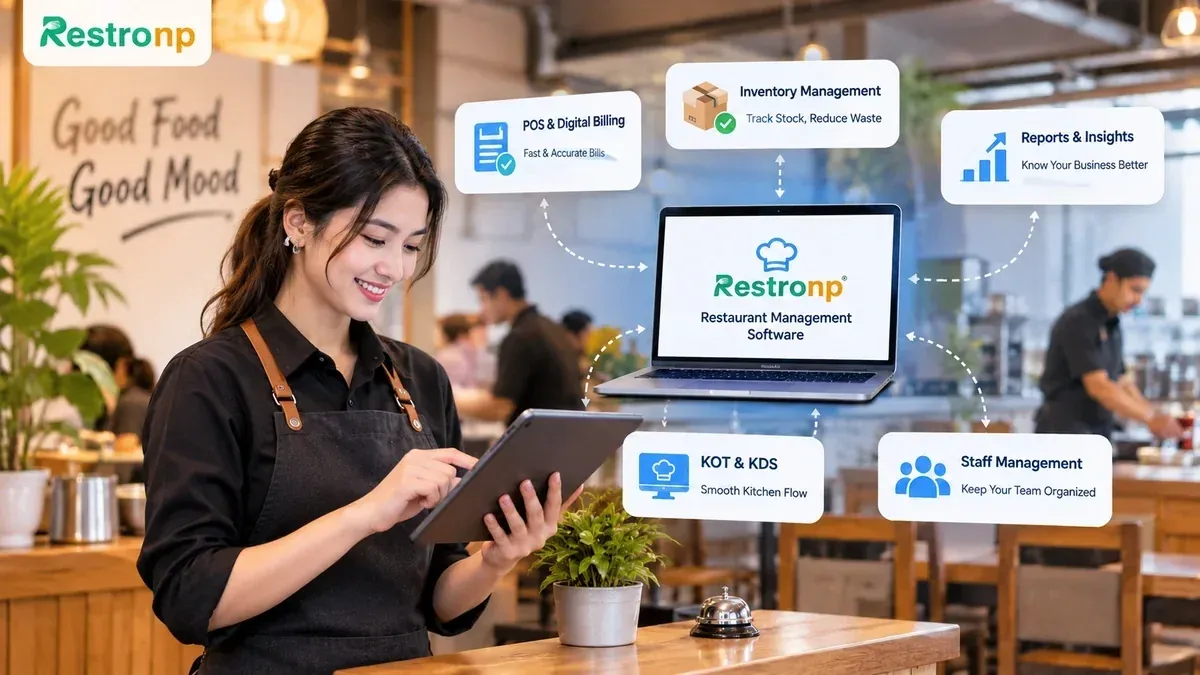
What if your restaurant is losing money through small operational mistakes you haven't noticed yet?
A missed order during a busy lunch hour, an incorrect bill, or ingredients running out earlier than expected might seem like minor problems. But when these things happen regularly, they can waste time, increase costs, and make daily operations harder to manage.
Think about everything your staff handles throughout the day. They take customer orders, prepare bills, coordinate with the kitchen, monitor stock, and manage payments. When these activities depend on manual work, keeping everything organized can become difficult, especially during busy hours.
This is where restaurant management software can make a difference. Restronp brings essential restaurant operations together, from POS billing and kitchen order management to recipe-based inventory and financial reporting.
Let's explore how Restronp helps Nepali restaurant owners save time, manage inventory, understand business costs, and keep their teams organized.
Save Time with Restaurant Management Automation
The busiest moments in a restaurant are often when small delays become noticeable. A delayed order, a billing mistake, or confusion between the kitchen and service staff can affect the entire customer experience.
Restronp helps make these daily tasks easier with features such as:
1. Restaurant POS and Digital Billing
Preparing bills manually can become frustrating, especially when several customers are waiting to pay.
With Restronp's restaurant POS, staff can manage dine-in, delivery, and pickup orders and generate digital invoices. It also supports split and partial payments, so staff can handle different payment situations more easily.
With Restronp's POS and billing system, restaurants can:
- Manage Different Order Types: Handle dine-in, delivery, and pickup orders from one POS system.
- Generate Digital Invoices: Prepare digital bills instead of depending on handwritten receipts.
- Handle Flexible Payments: Accept split and partial payments when customers need different payment arrangements.
- Support IRD VAT and PAN Billing: Manage billing requirements relevant to restaurants in Nepal.
These features help staff manage everyday billing tasks in one place instead of relying on manual calculations and handwritten records.
2. Faster Order Communication with KOT and KDS
Ever had an order delayed because the kitchen didn't receive the right information?
It can happen when waiters have to communicate every order verbally, particularly during busy hours.
Restronp's Kitchen Order Ticket (KOT) and Kitchen Display System (KDS) make it easier for waiters and kitchen staff to stay on the same page.
With KOT and KDS, restaurant staff can:
- View Incoming Orders: Let kitchen staff see new orders and their details.
- Track Order Progress: Keep track of orders as they move through the kitchen.
- Update Order Status: Mark orders as pending, cooking, completed, or served.
- Improve Kitchen Coordination: Help staff know which orders need attention.
This helps everyone keep track of orders and reduces the need to communicate every order verbally.
3. Make Ordering More Convenient with QR Codes
When several tables need attention at once, waiters may struggle to take every order on time.
That's where QR ordering can help. Customers simply scan the QR code at their table, browse the menu, and submit their order through their phones. Staff can then approve the order before it reaches the kitchen.
With Restronp's QR ordering, customers and staff can:
- Scan Table QR Codes: Access the restaurant's digital menu using a QR code at their table.
- Browse the Digital Menu: View available menu items on their phones.
- Submit Orders: Send their selected items directly through the QR ordering system.
- Approve Incoming Orders: Allow staff to review and approve orders before they reach the kitchen.
This gives customers another convenient way to order while allowing staff to stay in control of incoming orders.
4. Organize Restaurant Tables
Managing tables can get complicated, especially when customers arrive in groups or need to change their seating arrangements.
With Restronp, staff can manage restaurant areas, tables, and rooms from one system.
With Restronp's table management features, staff can:
- Manage Tables and Areas: Organize restaurant tables, areas, and rooms in one place.
- Transfer Tables: Move orders from one table to another when needed.
- Merge Tables: Combine tables to accommodate larger customer groups.
- Manage Reservations: Keep track of restaurant reservations through the same system.
By bringing billing, order management, kitchen communication, and table management together, Restronp helps staff spend less time coordinating routine tasks and more time looking after customers.
Want to spend less time managing orders and bills? Take a closer look at how Restronp brings your restaurant's daily operations together in one place.
Reduce Stock-Related Losses with Smart Inventory Management
Every dish that leaves your kitchen uses ingredients that cost money. But without proper tracking, it's easy to lose sight of how much stock is being used and when it needs replenishing.
Restronp helps you manage stock more effectively through recipe-based inventory.
1. Connect Recipes with Inventory
Every dish uses specific ingredients in specific quantities. Keeping track of all these details manually can take time.
With Restronp, you can create recipes for individual dishes and link them to the ingredients they require.
For example, you can set how much chicken, oil, and spices go into a chicken dish. When that dish is sold, Restronp automatically deducts the configured quantities from your stock.
With recipe-based inventory, you can:
- Create Dish Recipes: Set up recipes for individual menu items using their required ingredients.
- Define Ingredient Quantities: Specify how much of each ingredient goes into a particular dish.
- Automatically Deduct Stock: Reduce ingredient quantities from inventory when a configured dish is sold.
- Track Ingredient Usage: Get a clearer picture of how much stock is being used through recorded inventory changes.
This gives you a clearer picture of ingredient usage without having to update inventory manually after every sale.
2. Keep Track of Changing Food Costs
Ingredient prices can change over time. A rise in the price of chicken, oil, or vegetables can also increase the cost of preparing your dishes.
But are your menu prices still covering those costs?
Restronp updates recipe costs when the associated ingredient prices change.
With recipe costing, you can:
- Update Ingredient Prices: Maintain updated purchase prices for your ingredients.
- Review Recipe Costs: See how changes in ingredient prices affect the cost of preparing a dish.
- Understand Cost Changes: Identify when a recipe becomes more expensive to prepare.
- Review Menu Pricing: Use updated recipe costs to make more informed menu pricing decisions.
This helps you understand how changing purchase prices affect your food preparation costs and review your menu pricing when needed.
3. Know When Stock Needs Attention
Running out of an important ingredient during a busy service can disappoint customers and disrupt kitchen operations.
Restronp provides in-app notifications for low-stock and out-of-stock items. Its Stock Alert report also helps you identify which ingredients need replenishment.
With Restronp's stock alerts, you can:
- Receive Low-Stock Notifications: Get notified when an ingredient reaches its configured low-stock level.
- Identify Out-of-Stock Items: Know when an ingredient is no longer available in your recorded inventory.
- Review Stock Alerts: Use the Stock Alert report to identify items that need attention.
- Plan Replenishment: Use stock information to plan purchases before essential ingredients run out.
This makes it easier to plan purchases and keep important ingredients available. With recipe-based inventory, automatic stock deduction, recipe costing, and stock alerts, you get a clearer picture of your stock and ingredient costs.
While Restronp doesn't directly measure food spoilage or every instance of wastage, better stock information can help you make more informed purchasing decisions and reduce avoidable stock-related costs.
Make Better Business Decisions with Financial Reports
Sales figures can tell you how much money your restaurant brings in, but they don't tell the whole story. To understand how your business is performing, you also need to look at purchases, ingredient costs, income, and expenses.
Restronp provides different reports to help you understand your restaurant's financial performance.
1. Understand Your Sales Performance
Do you know how much your restaurant earned yesterday, last week, or last month?
Restronp's sales reports help you review sales activity over different periods. Instead of preparing summaries manually, you can check your sales records in the system.
With sales reports, you can:
- Review Sales Records: Check your restaurant's recorded sales activity.
- Compare Different Periods: Review sales over different time periods.
- Understand Sales Performance: Get a clearer picture of how much your restaurant is earning.
This makes it easier to review your sales without preparing summaries from scratch.
2. Keep Track of Purchases and Stock
Knowing how much you sell is important, but understanding what you spend on ingredients and other purchases matters too.
Restronp provides purchase and stock reports that help you review purchasing activity and inventory information.
With purchase and stock reports, you can:
- Review Purchase Records: Check your recorded purchases and buying activity.
- Monitor Stock Information: Review available inventory records.
- Understand Purchasing Patterns: Use past purchase information to plan future purchases more carefully.
These records help you understand what your restaurant is buying and how your stock is being managed.
3. Keep Financial Records Organized
Searching through notebooks and spreadsheets to find financial details can take time.
Restronp's day book and tax reports help you review financial transactions and relevant tax information in one system.
With day book and tax reports, you can:
- Review Daily Transactions: Check recorded financial transactions through the day book.
- Access Tax Information: Review relevant tax details through tax reports.
- Keep Records Accessible: Find important financial information without searching through separate notebooks and spreadsheets.
This makes important records easier to access whenever you need them.
4. Understand Your Profit and Loss
Good sales don't always mean good profit. If ingredient costs and other expenses are too high, your restaurant may earn less than you expect.
Restronp's profit and loss report includes net sales, cost of goods sold, income, and expenses.
With the profit and loss report, you can:
- Review Net Sales: Understand your sales after applicable deductions.
- Check Cost of Goods Sold: Review the cost associated with the goods sold.
- Track Income and Expenses: See the income and expenses recorded in your business.
- Understand Profitability: Look beyond total sales to get a better understanding of your restaurant's financial position.
By regularly reviewing these reports, you can understand where your money is going, identify costs that need attention, and make better decisions for your restaurant.
Improve Staff Accountability and Restaurant Management
As your restaurant gets busier, keeping track of everyone's responsibilities becomes increasingly important. Different employees handle different tasks, and not everyone needs access to the same system functions.
Restronp helps restaurant owners manage staff access and review system activities through features such as role-based permissions, activity logs, and reports.
1. Manage Access with Role-Based Permissions
Not every employee needs access to every part of the system.
For example, a cashier may need billing access, while other staff members may have different responsibilities.
Restronp allows owners to assign role-based permissions and control which functions employees can access.
With role-based permissions, you can:
- Assign Staff Roles: Give employees access based on their assigned responsibilities.
- Control System Access: Decide which functions different employees can use.
- Limit Unnecessary Access: Keep employees from accessing functions they don't need for their work.
This helps keep responsibilities clear and gives owners better control over system access.
2. Review Activities with Activity Logs
Sometimes, you may need to check who made a particular change or when an action took place.
Restronp provides searchable activity logs that help owners review recorded user actions. These records can also be exported in PDF and Excel formats.
With activity logs, you can:
- Review Recorded Activities: Check actions recorded within the system.
- Search Activity Records: Find specific records when you need to investigate an activity.
- Export Reports: Download activity records in PDF or Excel format for future reference.
This makes it easier to look back at recorded activities whenever questions arise.
3. Keep an Eye on Cancellations and Cash Differences
A cancelled bill or a difference in the cash drawer balance may need a closer look.
Restronp provides cancellation reports and cash drawer day book variance reports to help owners review these situations.
With these reports, you can:
- Review Cancelled Bills: Check recorded bill cancellations through cancellation reports.
- Identify Cash Differences: Review differences between recorded and actual cash drawer balances.
- Check Variance Records: Use day book variance reports to understand which cash differences need attention.
Along with activity logs, these records make it easier to understand what happened and follow up when necessary.
With role-based permissions and activity records, restaurant owners can manage staff access more carefully, review important activities, and maintain better oversight of daily operations.
Why Nepali Restaurants Need Better Digital Management
Customer expectations are changing, and restaurant owners have more to manage than ever. Keeping customers satisfied while handling orders, staff, stock, and expenses requires good coordination.
Restronp brings these everyday activities together in one system. Restaurant owners can use it to:
- Manage billing and orders: Handle dine-in, delivery, and pickup orders with digital invoices.
- Organize kitchen operations: Connect service staff with the kitchen through KOT and KDS.
- Make ordering easier: Let customers place orders by scanning table QR codes.
- Track inventory: Connect recipes with ingredients and automatically deduct stock when dishes are sold.
- Understand food costs: Review recipe costs when ingredient prices change.
- Monitor stock levels: Receive low-stock and out-of-stock notifications.
- Review business performance: Access sales, purchase, stock, day book, tax, and profit and loss reports.
- Manage staff access: Set role-based permissions and review recorded activities.
- Manage multiple branches: Handle several restaurant locations under one account and transfer stock between branches.
Of course, software alone cannot solve every restaurant problem. Staff still need proper training, and stock and financial records must be maintained accurately.
But when important information and daily operations are managed in one place, running a restaurant becomes easier to organize and control.
Final Thoughts
Good food may bring customers through your doors, but keeping a restaurant running successfully requires attention to many things behind the scenes. From managing orders and stock to understanding expenses and coordinating staff, every part of the operation matters.
Having better visibility into these activities can help you identify problems earlier and make more informed decisions.
Restronp brings essential restaurant management tools together to help Nepali restaurant owners save time, manage inventory, organize staff, and understand their business performance.
If you're looking for restaurant management software in Nepal, explore how Restronp works and see whether its features match your restaurant's needs.
Looking for a simpler way to manage your restaurant?
Give Restronp a try and see how its features fit into your daily operations. Start your free trial today!
More blogs
Ice Cream Parlor POS in Nepal: Scoops, Cones & Combo Deals
Restronp guide: ice cream Nepal—easy restaurant software Nepal, digital wallet POS Nepal, real-time sales report Nepal, free QR code menu software Nepal parity, mall & lakeside counters.
Sweet Shop POS in Nepal: Mithai Counters, Festivals & Pre-Orders
Restronp guide: sweet shop & mithai Nepal—restaurant billing software Nepal, fast billing restaurant Nepal, free inventory management software Nepal signals, billing invoice restaurant Nepal, pre-orders & festival peaks.
Restaurant Software Price in Nepal: What You Pay (and What You Save)
Restaurant software price in Nepal explained in plain words—subscription vs free tiers, hidden costs to watch, NPR budgeting for POS, and why Restronp keeps core restaurant tools accessible for local outlets.
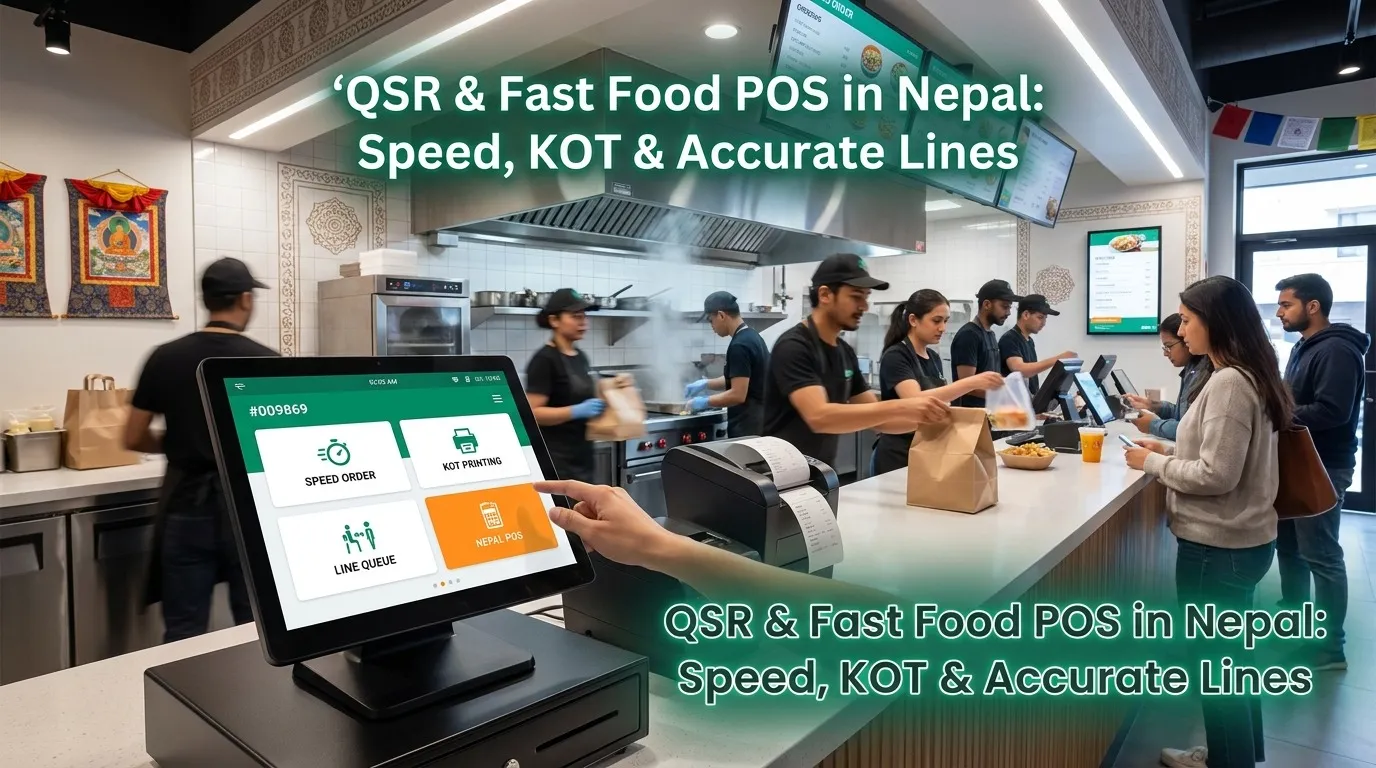
QSR & Fast Food POS in Nepal: Speed, KOT & Accurate Lines
Restronp guide: QSR & fast food Nepal—real-time order management Nepal, kitchen order ticket tracking Nepal, fast billing restaurant Nepal, cashier POS home delivery Nepal, POS order entry Nepal, combo logic & KOT.