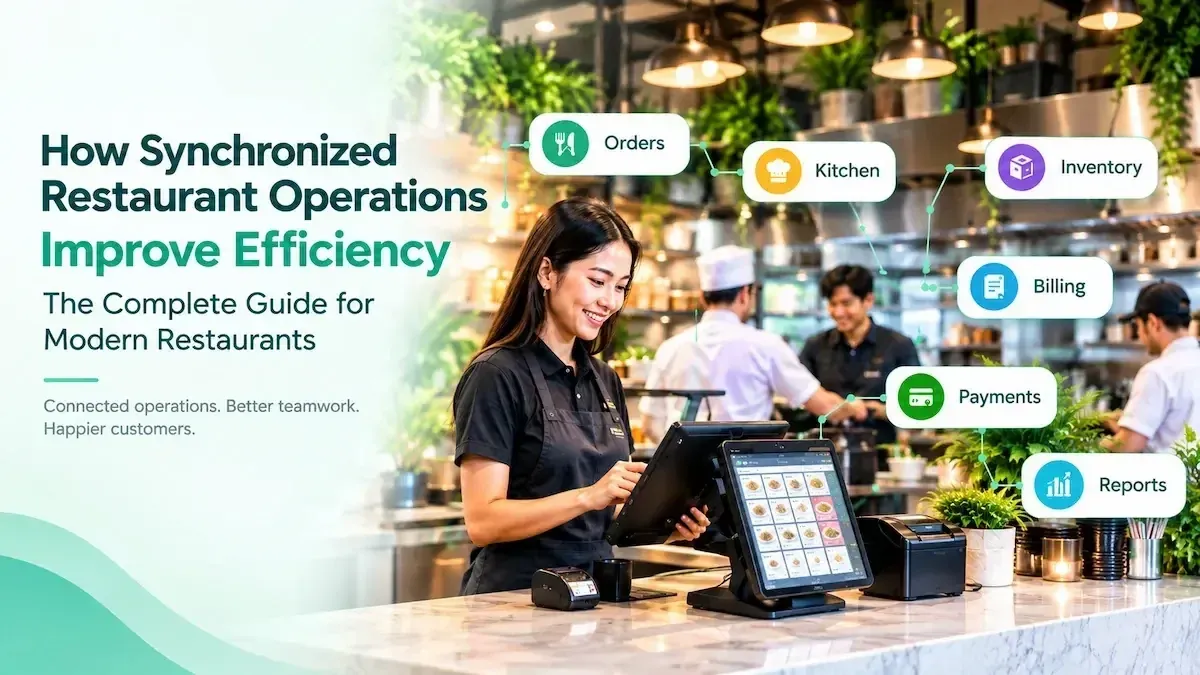
How Synchronized Restaurant Operations Improve Efficiency for Modern Restaurants
Restronp Team · · Estimated reading time: 11 min read
Discover how synchronized restaurant operations connect orders, kitchen, inventory, and billing to reduce delays, improve coordination, and simplify restaurant management.
Imagine a busy lunch hour at your restaurant. A waiter takes an order, the kitchen is preparing several dishes, another customer requests a change, and the cashier is handling multiple bills.
Now imagine the waiter has to repeat an order because the kitchen did not receive the correct details. The cashier cannot immediately find the updated order, and the manager has to check separate records to understand what is happening.
These situations may seem small, but when they happen repeatedly, they can slow down service, create confusion, and put extra pressure on your staff. The problem is not necessarily that your employees are working slowly. It may be that different parts of your restaurant are working with disconnected information.
Synchronized restaurant operations help bring these activities together. When order management, kitchen communication, inventory, billing, and reporting follow a coordinated workflow, employees can access the information they need and complete their tasks more efficiently.
In this blog, we will look at how synchronized restaurant operations work, the problems they help address, and how restaurant management software like RestroNP can support a more organized way of running a restaurant.
What Are Restaurant Operations?
Restaurant operations refer to the everyday activities involved in running a restaurant, from taking customer orders to managing staff and reviewing sales.
Although customers mainly see the food and service, several activities happen behind the scenes to keep everything running.
Some important restaurant operations include:
- Order management: Recording customer orders, special requests, and changes.
- Kitchen management: Organizing food preparation and communicating order details through kitchen order tickets (KOTs).
- Inventory management: Monitoring available stock, recording stock movement, and identifying items that need restocking.
- Billing and payments: Preparing customer bills and maintaining transaction records.
- Staff management: Assigning responsibilities and coordinating employees.
- Table management: Keeping track of table availability and customer seating.
- Sales reporting: Reviewing sales and other business information to understand restaurant performance.
Each activity has its own purpose, but they are closely related. An order affects kitchen preparation, billing, and potentially inventory records.
When these activities are not properly coordinated, staff may spend more time communicating, checking information, and correcting mistakes.
What Does Synchronized Restaurant Operations Mean?
Synchronized restaurant operations means coordinating different restaurant activities so that the right information reaches the right people when they need it.
For example, when a waiter records a customer's order, the kitchen needs the correct order details to prepare the food. The cashier also needs accurate information to prepare the bill. If these teams work with separate or outdated records, confusion can occur. A coordinated workflow helps them work with consistent information instead.
It is important to understand that synchronization does not mean every restaurant task happens automatically. Employees still need to check orders, prepare food, update records, and handle customers.
The goal is to reduce unnecessary steps and make information easier to share.
In simple terms: Instead of each department managing information separately, synchronized operations help the restaurant work through a more connected process.
How Synchronized Restaurant Operations Work: From Customer Order to Reporting
Consider a customer who orders two meals and a drink during a busy lunch hour. That single order involves several people and activities.

Here is how the workflow can be coordinated.
Step 1: The waiter records the order
The waiter enters the customer's selections, quantities, table details, and any special requests into the restaurant POS system. Recording the order digitally gives the team a clear reference instead of relying only on handwritten notes or verbal communication.
Step 2: The kitchen receives the order
The order details are sent to the kitchen through the restaurant's supported kitchen order ticket (KOT) workflow. Kitchen staff can refer to the ticket to understand which items need to be prepared and what changes the customer has requested.
Step 3: Staff monitor inventory
The restaurant checks available stock and maintains inventory records as ingredients and supplies are used.
For example, if a popular menu item is selling quickly, staff can monitor the relevant stock and identify when it needs replenishment. The exact inventory update process depends on the restaurant's system and configuration.
Step 4: The cashier prepares the bill
When the customer is ready to pay, the cashier uses the recorded order details to prepare the bill. Having the order information available helps avoid searching through separate notes or entering the same details again.
Step 5: The payment is recorded
After the customer pays, the restaurant records the transaction through its billing process. Keeping payment information organized helps the team review completed transactions and handle end-of-day reconciliation.
Step 6: The manager reviews business reports
At the end of a shift or business day, the manager reviews available sales and operational reports.
For example, the manager may notice that a particular meal sold frequently during lunch or that sales were lower on a certain day. This information can support decisions about stock planning, staffing, and menu performance.
The key idea: Each step depends on information from the previous one. When the workflow is properly coordinated, staff have fewer reasons to repeat tasks or search through disconnected records.
Traditional vs. Synchronized Restaurant Workflows
Not every restaurant uses the same management process. Some rely on handwritten records, while others use digital tools or a combination of both.
The difference is not simply whether a restaurant uses technology. It is how consistently information moves between its daily activities.
| Restaurant Activity | Disconnected Workflow | More Synchronized Workflow |
| Order Taking | Orders may be written down and communicated separately | Orders are recoreded in a shared system |
| Kitchen Communication | Staff may need to repeat or clarify order details | Kitchen staff can refer to recorded KOT information |
| Order Changes | Changes may need to be communicated to several people | Updated details can be shared through the supported workflow |
| Inventory | Stock information may be maintained in separate records | Inventory information is managed in an organized system |
| Billing | Cashiers may need to check separate order records | Recorded order details support bill preparation |
| Reporting | Managers collect information from different sources | Available reports provide a more organized view of business activity |
A digital system does not automatically guarantee a synchronized restaurant. The system must support the required workflows, and employees need to use it consistently.
Common Challenges in Disconnected Restaurant Operations
When restaurant activities are not properly connected, small communication and information gaps can turn into recurring problems.
Here are some common examples.
1. Order misunderstandings
A waiter may communicate an order verbally, but a special request or item change may not reach the kitchen clearly. This can lead to incorrect preparation, additional waiting time, or food being prepared again.
2. Repeated manual entry
When order information is recorded in one place and entered again somewhere else, staff spend time repeating the same work. It also creates more opportunities for incorrect quantities, missing items, and billing mistakes.
3. Difficulty monitoring inventory
If inventory records are not maintained regularly, staff may not know whether enough stock is available for popular menu items. This can make purchasing decisions difficult and increase the risk of running out of important ingredients.
4. Billing confusion
When order changes are not communicated properly, the final bill may not reflect what the customer actually ordered. The cashier then has to investigate and correct the details, which can delay checkout.
5. Limited visibility for managers
A manager may need to check separate sales, inventory, and billing records to understand how the restaurant is performing. This takes time and makes it harder to identify operational issues quickly.
6. Pressure during peak hours
During busy periods, employees have less time to clarify information or correct avoidable mistakes. Disconnected workflows can make an already demanding shift more difficult for the entire team.
These problems show why restaurant efficiency depends on more than employee speed. Staff also need clear processes and reliable information.
7 Practical Benefits of Synchronized Restaurant Operations
When restaurant activities are coordinated properly, the benefits can be seen in everyday work.
1. Smoother order handling
Recording orders in a shared system gives staff a consistent reference. It can reduce the time spent passing information between waiters, kitchen staff, and cashiers.
2. Clearer kitchen communication
KOTs help kitchen staff understand which items need to be prepared. Clear order details and properly communicated changes can reduce misunderstandings.
3. Less repeated work
When relevant information is available in the system, employees do not need to repeatedly write down or enter the same details. This allows them to spend more time on their actual responsibilities.
4. Better inventory visibility
Organized inventory records help restaurant owners and managers monitor stock, identify items that need replenishment, and plan purchases. This is especially useful when certain ingredients are used frequently.
5. More accurate billing
Using recorded order details during bill preparation can help reduce mistakes caused by missing information or repeated data entry. It also makes it easier for cashiers to review the customer's order.
6. More informed management decisions
Sales and operational reports help managers understand what is happening in the restaurant. For example, they can review popular items, compare sales across different periods, and identify areas that may need attention.
7. A more consistent customer experience
Customers may not see the systems behind restaurant operations, but they notice the results.
Clearer order communication, fewer billing issues, and better coordination can make their overall experience smoother. These benefits depend on how well the system fits the restaurant's processes and how consistently the team uses it.
How Restaurant Management Software Supports Synchronized Operations
Managing orders, inventory, billing, and reports through separate records can become difficult as a restaurant grows. Restaurant management software helps organize these activities by providing digital tools for important daily tasks. However, not all software connects every function in the same way. Restaurant owners should check which features are available and how information moves between them.
Here are some important capabilities to consider.
1. POS and order management
A restaurant POS system helps staff record customer orders, quantities, and relevant details. It provides a consistent record that can support other parts of the workflow.
2. Kitchen order management
KOT functionality helps communicate order details to kitchen staff. Depending on the system, this may involve digital tickets, printed tickets, or other supported workflows.
3. Inventory management
Inventory features help staff maintain stock records and monitor available items. Some systems also support more advanced stock movement and automatic updates, so it is important to check the exact functionality.
4. Billing management
Billing features help prepare customer bills using recorded order information. This can make the checkout process more organized.
5. Table management
Table management helps staff monitor table availability and organize dine-in service, especially when several tables are being served at once.
6. Reporting
Reporting features bring together available business information so managers can review sales and other operational activities.
When these features support one another, restaurant teams can manage daily tasks with fewer disconnected processes.
Real-World Example: Coordinating Daily Restaurant Operations with RestroNP

Consider a restaurant that serves dine-in customers throughout the day.
During lunch hours, the waiter handles multiple tables, kitchen staff prepare several orders, and the cashier manages customer bills. The manager also needs to monitor sales and stock information.
Without an organized workflow, employees may need to communicate the same details repeatedly or check different records.
RestroNP provides features that can support a more organized process.
Here is how some of its features fit into daily restaurant operations:
| Restaurant Task | Relevant RestroNP Feature | How it supports the workflow |
| Recording Customer Orders | POS | Helps maintain organized order records |
| Communicating Orders to the Kitchen | KOT | Provides kitchen staff with order details |
| Monitoring Stock | Inventory Management | Helps maintain and review inventory records |
| Managing Dine-in Tables | Table Management | Helps organize table information |
| Preparing Customer Bills | Billing | Supports an organized billing process |
| Managing Employees | Staff Management | Helps organize staff-related activities |
| Reviewing Performance | Reports | Helps managers review available business information |
| Managing Multiple Locations | Multi-branch Management | Supports restaurant groups operating across branches |
For example, when a waiter records an order through the POS, the kitchen can use the supported KOT workflow to receive the order details. The cashier can use the recorded order information during billing, while the manager can review available reports to understand sales performance.
Inventory records can also be maintained through the system, helping staff monitor stock.
The exact workflow depends on the features and configuration being used. Restaurants should confirm how each process works for their particular setup.
The main advantage is having important restaurant activities managed through a system designed for restaurant operations rather than relying entirely on scattered records.
Best Practices for Building More Synchronized Restaurant Operations
Software can support a better workflow, but it cannot replace clear processes and proper staff coordination.
Restaurant owners and managers can take these practical steps to improve daily operations.
1. Create a consistent order-taking process
Make sure every waiter follows the same process when recording items, quantities, table details, and special requests. This gives the kitchen and cashier clearer information to work with.
2. Establish clear communication between departments
Define how order changes, unavailable menu items, and customer requests should be communicated. Employees should know who needs to receive the information and when.
3. Keep inventory records up to date
Set a regular process for recording stock received, used, adjusted, and remaining. This helps managers make better purchasing and stock-planning decisions.
4. Use a consistent billing process
Make sure cashiers follow the same procedure for checking orders, preparing bills, handling corrections, and recording payments.
5. Train employees properly
Introduce staff to the restaurant's POS, KOT, inventory, and billing processes. Training should include common situations, such as modifying an order or handling an unavailable item.
6. Review reports regularly
Managers should review relevant sales and operational reports rather than relying only on memory or assumptions. Regular reviews can help identify patterns and areas that need improvement.
7. Ask employees where delays happen
Waiters, kitchen staff, and cashiers experience different parts of the workflow. Their feedback can reveal problems that managers may not notice from reports alone. A useful starting point is to identify where information gets repeated, delayed, or lost. Fixing those points can make a noticeable difference to the daily workflow.
Future Trends in Restaurant Operations
Restaurant technology continues to develop, creating new ways for businesses to manage customer orders and daily activities.
Some developments are particularly relevant to synchronized operations.
1. Cloud-based restaurant management
Cloud-based systems can make business information accessible across supported devices and locations. This can help managers review restaurant activity without depending on a single computer.
2. Digital and QR ordering
QR menus and digital ordering give customers additional ways to browse menus and place orders. When connected to the restaurant's order management process, they can help reduce manual order entry.
3. Improved kitchen workflows
Digital kitchen displays and organized ticket systems can help kitchen teams manage incoming orders and monitor preparation more clearly.
4. Data-driven restaurant management
As restaurants collect more organized sales and operational information, managers can use reports to understand demand, review menu performance, and plan resources.
5. AI-assisted planning
AI tools may help restaurants analyze historical information, identify patterns, and support demand forecasting. Their usefulness depends on the quality of the data and how well the tools fit the restaurant's operations.
These technologies are not necessary for every restaurant. The right approach is to adopt tools that solve actual operational problems rather than adding technology without a clear purpose.
Why Choose RestroNP for Restaurant Management?
Managing a restaurant involves several responsibilities. Owners need to handle orders, coordinate kitchen activities, monitor inventory, prepare bills, manage employees, and review business performance.
RestroNP brings key restaurant management features together to help businesses organize these daily activities.
With features such as:
- POS and order management for recording customer orders.
- KOT for communicating order details to the kitchen.
- Inventory management for maintaining stock records.
- Table management for organizing dine-in operations.
- Billing for preparing customer bills.
- Staff management for organizing employee-related activities.
- Reports for reviewing business performance.
- Multi-branch management for businesses operating across locations.
RestroNP gives restaurant teams tools to manage important operational tasks through a restaurant-focused system.
The goal is simple: help restaurant owners and employees spend less time dealing with scattered information and more time managing their customers and daily responsibilities. Before choosing any restaurant management software, consider your restaurant's size, workflow, staff requirements, and the features you actually need.
Frequently Asked Questions
1. What are synchronized restaurant operations?
Synchronized restaurant operations involve coordinating activities such as order management, kitchen communication, inventory, billing, and reporting so that relevant information is available to the people who need it.
2. How do synchronized operations improve restaurant efficiency?
They help reduce repeated work, communication gaps, and avoidable delays. When employees can access consistent information, they can complete their responsibilities with fewer interruptions.
3. What is the difference between restaurant operations and synchronized restaurant operations?
Restaurant operations include all the daily activities required to run a restaurant. Synchronized operations focus on how those activities are coordinated and how information is shared between them.
4. Can a POS system help synchronize restaurant workflows?
Yes. A POS system can provide a central record of customer orders and support related activities such as KOT and billing. The level of integration depends on the system's features.
5. How can restaurants reduce order communication errors?
Restaurants can establish a consistent order-taking process, record special requests clearly, and use a supported KOT workflow to share order details with kitchen staff.
6. Does restaurant management software automatically update inventory?
Not always. Some systems support automatic stock updates, while others require manual updates or additional configuration. Restaurant owners should verify this capability before choosing a system.
7. Is synchronized restaurant management useful for small restaurants?
Yes. Small restaurants can benefit from organized order handling, inventory records, billing, and reporting. The important thing is to choose a system that matches the restaurant's size and needs.
8. What should I consider before choosing restaurant management software?
Consider the software's POS, KOT, inventory, billing, table management, reporting, and staff management features. Also check ease of use, staff training requirements, support, and whether the system fits your daily workflow.
Final Thoughts: Make Every Part of Your Restaurant Work Together
A restaurant depends on several activities happening at the right time. An order needs to reach the kitchen, stock needs to be monitored, bills need to be prepared correctly, and managers need reliable information to make decisions.
When these activities are managed separately, staff can spend too much time repeating tasks, searching for information, and correcting avoidable mistakes.
Synchronized restaurant operations help bring these activities into a more organized workflow. With clear processes and suitable restaurant management software, businesses can improve coordination and manage daily responsibilities more effectively.
RestroNP offers POS, KOT, inventory, billing, table management, staff management, and reporting features to support important restaurant operations.
Ready to organize your restaurant's daily operations?
Start your free trial of RestroNP and explore its features for managing orders, billing, inventory, and more.